123audio Guide
MP3 to Text: How Speech Recognition Pipelines Work
See what happens between an MP3 upload and a reliable transcript, compare local and hosted speech recognition, and build a pipeline that can scale.
Technical summary
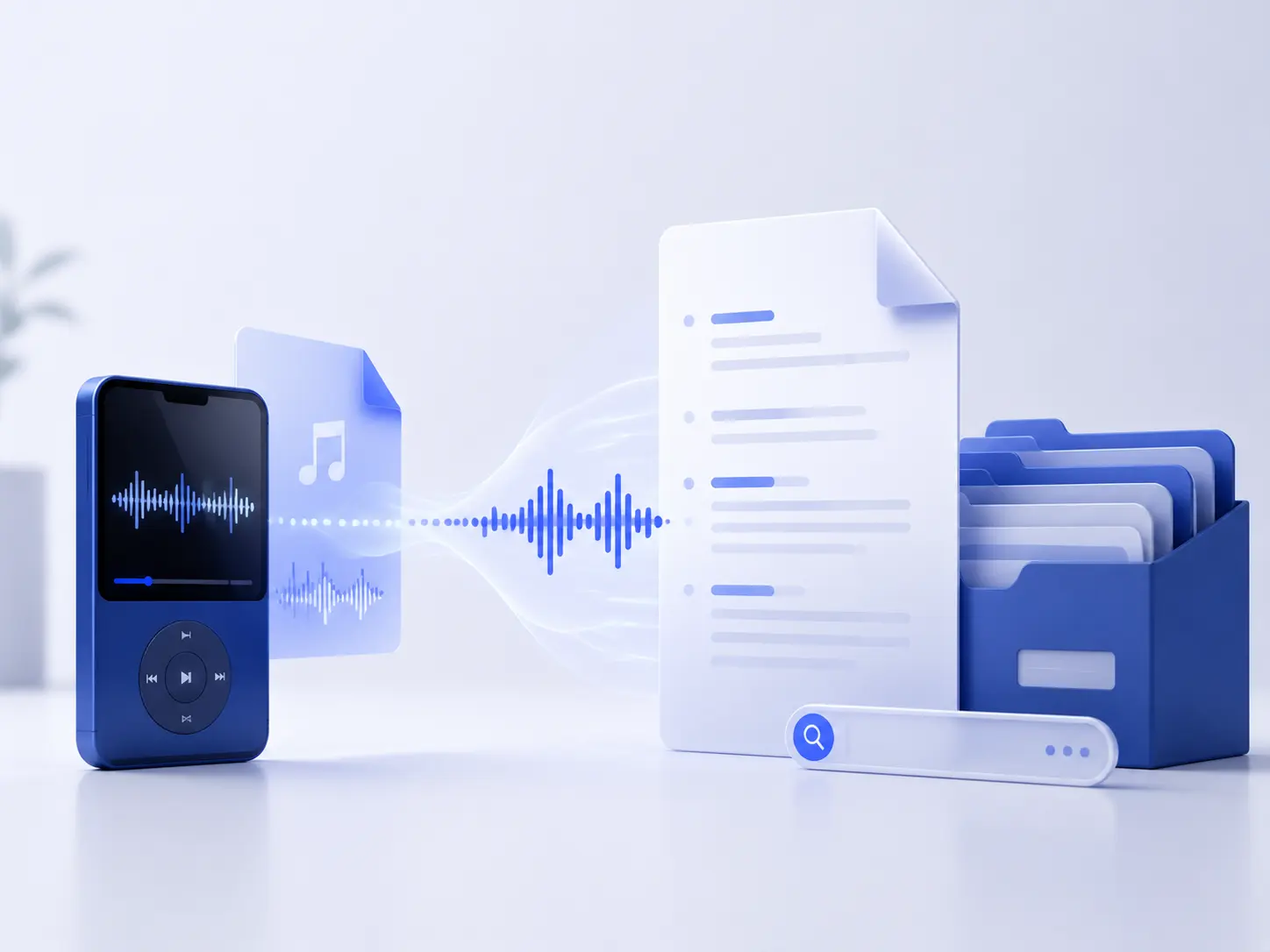
An MP3-to-text system does not read words from an MP3 container. It decodes compressed audio into samples, prepares those samples for an automatic speech recognition model, predicts text and timing, then turns the model output into a usable transcript. A production implementation also needs file validation, chunking, retries, terminology hints, speaker handling, review, and privacy controls.
Decode
Turn MP3 frames into an uncompressed waveform.
Prepare
Match the model's channel and sample-rate needs.
Recognize
Run ASR locally or through a managed API.
Operationalize
Add queues, retries, storage, review, and export.
How an MP3-to-text pipeline actually works
MP3 is a lossy audio encoding format. The recognition model normally consumes a waveform or features computed from a waveform, not MP3 frames. The first technical step is therefore decoding. In the open-source Whisper implementation, FFmpeg decodes the input, downmixes it to one channel, converts it to signed 16-bit PCM, and resamples it to 16,000 Hz before feature extraction.
After decoding, the recognizer converts short windows of audio into acoustic features and predicts tokens. Those tokens become words, punctuation, timestamps, and sometimes confidence values. Speaker labels are a separate capability: they may come from the provider, a diarization model, or channel metadata rather than from transcription itself.
- Stage 1: Inspect and decode. Validate the file, identify its codec and duration, then decode compressed MP3 frames into a PCM waveform.
- Stage 2: Prepare the signal. Downmix or select channels, resample only when the model requires it, and avoid destructive filtering by default.
- Stage 3: Run speech recognition. Send the waveform to a local model or hosted API with the correct language and domain context.
- Stage 4: Structure the result. Preserve words, timestamps, confidence values, speaker labels, and the original model response.
- Stage 5: Review and export. Correct consequential errors, then render TXT, JSON, SRT, VTT, DOCX, or another downstream format.
Do not upsample for quality. Turning a 64 kbps MP3 into a 48 kHz WAV makes a larger file but does not reconstruct frequencies or speech detail removed during the original encode. Convert only to satisfy a model or processing requirement.
Choose between local, API, and hybrid transcription
The best implementation depends less on the MP3 extension than on volume, privacy, latency, language coverage, and the metadata you need. Start with the simplest architecture that meets those constraints, then benchmark it on your own recordings.
| Architecture | Best fit | Advantages | Trade-offs |
|---|---|---|---|
| Local open-source model | Sensitive files, offline workflows, predictable workloads | Audio stays under your control; model and decoding settings are reproducible | You operate GPUs or accept slower CPU inference; diarization may require another component |
| Hosted speech-to-text API | Fast integration, variable traffic, streaming, managed features | No inference fleet; timestamps, diarization, formatting, and language options may be built in | Usage cost, provider limits, network transfer, and data-governance review |
| Hybrid pipeline | Products with privacy tiers or cost-routing rules | Route ordinary jobs to an API and sensitive or high-volume jobs to local inference | Two execution paths increase testing, observability, and result-normalization work |
Build an MP3-to-text pipeline step by step
1. Inspect the source before changing it
Use FFprobe to read duration, channel count, sample rate, codec, and bitrate. Reject empty files and implausible media early. Keep the original object immutable and store a checksum so retries and duplicate uploads can reuse an existing result.
ffprobe -v error \
  -show_entries format=duration:stream=codec_name,sample_rate,channels,bit_rate \
  -of json input.mp3
2. Decode and normalize only when required
Many engines accept MP3 directly, so preprocessing is optional. A local Whisper workflow can use FFmpeg explicitly to create the same broad input shape used by the model: mono, 16 kHz, signed 16-bit PCM. Keep stereo or separate channels when channel identity matters; collapsing a two-party call to mono can discard an easy speaker signal.
ffmpeg -i input.mp3 -vn -ac 1 -ar 16000 -c:a pcm_s16le normalized.wav3. Run a local recognition model
OpenAI Whisper is a practical open-source baseline for batch transcription. Its command-line interface accepts MP3, can write TXT, VTT, SRT, TSV, or JSON, and can expose word timestamps. The turbo model is optimized for transcription; use a multilingual model other than turbo when the job is speech translation into English.
pip install -U openai-whisper
whisper input.mp3 \
  --model turbo \
  --language English \
  --word_timestamps True \
  --output_format json
4. Or send the original MP3 to a managed API
A hosted API removes model serving from your application. The following Deepgram request asks for a transcript with readable formatting, semantic utterances, and a versioned diarization path. Keep API keys on the server, validate the response schema, set timeouts, and record the provider request ID for support and retries.
curl --request POST \
  --header "Authorization: Token $DEEPGRAM_API_KEY" \
  --header "Content-Type: audio/mp3" \
  --data-binary @input.mp3 \
  --url "https://api.deepgram.com/v1/listen?model=nova-3&smart_format=true&utterances=true&diarize_model=latest"
5. Keep a canonical JSON result
Do not make plain text your source of truth. Store normalized segments with at least text, start, end, speaker, and optional confidence, plus the provider, model version, language, source checksum, and processing date. Generate TXT for reading and SRT or VTT for captions from this canonical record.
If you only need a quick manual test before building, an MP3-to-transcript interface can help establish expected output. For a production implementation, however, benchmark and retain the structured response instead of copying only the visible paragraph.
Handle timestamps, channels, and speaker diarization
Segment timestamps identify phrases; word timestamps support search highlighting, subtitle alignment, and precise editing. They are model estimates, so do not treat them as sample-accurate edit decisions without checking. OpenAI currently exposes word timestamp granularities through whisper-1, while its specialized diarization model returns speaker, start, and end metadata in diarized JSON.
Speaker diarization answers “who spoke when?” but usually returns anonymous labels. If a call recorder places each participant on a separate channel, use channel identification first: it is based on the recording topology and can be more stable than clustering voices from a mono mix. Use diarization for meetings or interviews where multiple speakers share the same channel.
| Metadata | Use it for | Important limitation |
|---|---|---|
| Segment timestamps | Navigation, chapters, rough caption cues | May begin or end outside the ideal reading boundary |
| Word timestamps | Search highlighting and fine alignment | More data and still not guaranteed to be frame accurate |
| Speaker diarization | Meetings, interviews, mixed-channel conversations | Labels voices but does not inherently identify real people |
| Channel identification | Agent/customer or host/guest tracks recorded separately | Only helps when channel separation exists in the source |
Process long MP3 files without losing context
Provider upload limits are not transcription limits. For example, OpenAI's file transcription endpoint currently accepts files up to 25 MB and recommends compressed audio or chunks no larger than that limit. Cutting solely by byte size is risky because a boundary can land inside a word or sentence.
A stronger batch design detects speech regions, groups them into manageable chunks, and preserves a small overlap. Each job stores its source offset; after transcription, the application adds that offset to every returned timestamp and removes duplicated boundary text. Carry a short glossary or preceding context into the next chunk when the engine supports prompting.
- Create a parent job. Record the source checksum, duration, requested language, model, and pipeline version.
- Plan chunks. Prefer silence boundaries and cap duration or bytes according to the chosen engine.
- Process idempotently. Give each chunk a deterministic ID and persist successful results before starting another attempt.
- Merge on a timeline. Apply absolute offsets, deduplicate overlaps, and preserve confidence and speaker metadata.
- Finalize exports. Create searchable text and, when timing has been reviewed, generate captions with the audio-to-SRT workflow.
Improve accuracy and prove that it improved
Accuracy work should begin with the source and end with an evaluation set. Use the original recording, select the correct language, avoid clipping, and separate microphones when you control recording. Noise reduction can help some material, but aggressive filtering may also remove consonants and make recognition worse; test it rather than assuming a cleaner waveform view means clearer speech.
Domain context is often more effective than generic post-editing. OpenAI's current transcription guide supports prompts, keywords, and expected languages for its newer transcription path. Google Cloud Speech-to-Text offers model adaptation with phrase sets and custom classes, while Amazon Transcribe provides custom vocabularies for brand names, acronyms, proper nouns, and technical terms.
Use a small, representative benchmark
Build a human-verified set that includes clean speech, background noise, accents, overlapping speakers, numbers, and domain terms. Calculate word error rate (WER) as (substitutions + deletions + insertions) / reference words. Then add task-specific measures: name accuracy, number accuracy, speaker attribution, timestamp deviation, processing latency, failure rate, and cost per audio hour.
Evaluation rule: compare models on exactly the same files with documented settings. A model that wins on a clean English podcast may lose on a multilingual meeting or a noisy phone call.
MP3-to-text tools and components to consider
Capabilities, model names, quotas, and pricing change. Treat this table as an architecture shortlist, then confirm the current documentation and run the same evaluation set against every serious candidate.
| Tool | Role in the stack | Choose it when | Check before committing |
|---|---|---|---|
| FFmpeg / FFprobe | Inspect, decode, resample, select channels, and split audio | You need a reproducible media preprocessing layer | Your compiled build supports the codecs and filters you use |
| OpenAI Whisper | Open-source local batch ASR | Offline control and a strong multilingual baseline matter | Compute, model size, processing speed, and separate diarization needs |
| OpenAI Transcriptions API | Managed transcription, timestamps, context, or specialized diarization | You want a small integration surface and managed inference | Model-specific response formats, 25 MB file handling, retention, and regional needs |
| Deepgram | Managed prerecorded and streaming speech recognition | Utterances, smart formatting, and diarization are central to the workflow | Language/model feature matrix and diarizer version behavior |
| Google Cloud Speech-to-Text | Managed ASR with adaptation resources | Your stack is on Google Cloud or phrase-set adaptation is valuable | Model-language support, quotas, storage flow, and regional processing |
| Amazon Transcribe | Managed batch/streaming ASR with vocabularies and speaker features | Your audio and application already run in Amazon Web Services | Region alignment, vocabulary lifecycle, speaker/channel configuration |
Production checklist: privacy, reliability, and exports
- Validate uploads: enforce byte, duration, MIME, extension, and decoded-media checks; never trust the filename alone.
- Keep secrets server-side: browsers should upload to your backend or a short-lived signed destination, not call a paid provider with a permanent key.
- Define retention: document when source audio, intermediate WAV files, provider responses, and final transcripts are deleted.
- Make jobs resumable: use queues, deterministic chunk IDs, capped retries, and a dead-letter path for files that need inspection.
- Version everything: store model, parameters, preprocessing command, prompt or glossary version, and output schema.
- Review high-impact text: verify names, numbers, medical or legal statements, quotations, and publication captions against the audio.
Frequently asked questions
Does an MP3 need to be converted to WAV before transcription?
Not always. OpenAI Whisper and many hosted speech-to-text APIs accept MP3 directly and decode it internally. Converting to WAV is useful when you need a predictable sample rate, mono channel layout, or compatibility with a specific engine, but it cannot restore detail already removed by MP3 compression.
What sample rate should I use for MP3-to-text processing?
Use the rate expected by the recognition engine. OpenAI Whisper loads audio as mono, 16 kHz PCM internally, so 16 kHz mono is a practical intermediate format for a Whisper pipeline. Other APIs can accept the original MP3 and handle decoding themselves; check the selected provider instead of resampling repeatedly.
Can MP3-to-text software identify different speakers?
Yes, if the selected engine supports speaker diarization or if you add a separate diarization stage. Diarization assigns labels such as Speaker 0 and Speaker 1; it does not automatically know their real names. For stereo call recordings, channel identification may be more reliable than estimating speakers from a mixed track.
How should a long MP3 be split for transcription?
Prefer silence or voice-activity boundaries over fixed byte cuts. Keep a small overlap, preserve each chunk's absolute time offset, and pass relevant context or terminology into the next request when the engine supports it. Store every completed chunk so a failed job can resume without transcribing the whole recording again.
How do I measure transcription accuracy?
Create a human-verified reference transcript and calculate word error rate: substitutions plus deletions plus insertions, divided by the number of reference words. Also track proper-noun accuracy, timestamp error, speaker-attribution accuracy, latency, and cost because a single WER score does not describe whether the transcript is useful.
Build the pipeline around the transcript you need
A sound MP3-to-text implementation separates media handling from recognition and recognition from presentation. Decode predictably, choose local or managed ASR based on real constraints, preserve structured timing and speaker data, and measure the result on representative audio. That design makes it possible to change models later without rebuilding upload, review, and export workflows.
Start with a ten- to thirty-file benchmark, one canonical JSON schema, and one end-to-end path. Add preprocessing, diarization, or a second provider only when the evaluation shows a specific gap.
References and further reading
The implementation details and tool capabilities in this article were checked against these primary and official sources:
- OpenAI Whisper — README, model options, installation, and CLI usage
- OpenAI Whisper — audio loading, 16 kHz resampling, mono downmix, and PCM decoding
- OpenAI API — file transcription, timestamps, context, diarization, and longer inputs
- FFmpeg — audio resampling and channel-layout conversion
- Deepgram — prerecorded audio transcription
- Deepgram — speaker diarization and response metadata
- Google Cloud Speech-to-Text — model adaptation
- Amazon Transcribe — custom vocabularies