Private by default
Your selected recordings are decoded locally for this workflow. Nothing is uploaded for the merge operation, and the temporary download URL is released when you leave or reset the page.
 123audio
A free audio merger that runs locally in your browser—no sign-up required, with your files kept private.
Processed locally in your browser. Output: WAV.
An audio merger, audio joiner, or audio combiner places separate files one after another and exports them as a single recording. It is the right tool when the result should play from beginning to end: an introduction followed by an interview, several voice notes combined into one memo, or music tracks assembled into a rehearsal sequence. You choose the order; the merger preserves each clip's audio content while creating one simple file to share.
This is different from an audio mixer. A mixer overlaps layers, balances volume, and creates a blend. An audio merger handles sequence and continuity. Keeping those tasks separate makes the interface easier to understand and prevents accidental changes to your original recordings.
The workflow is designed for a first successful result in under a minute.
Select two or more MP3, WAV, M4A, OGG, FLAC, AAC, or WebM files. You can add clips in batches.
The numbered list is the playback order. Remove a file if it is not needed, then review the names before processing.
Choose Merge audio files. When processing completes, download one WAV track for editing, publishing, or sharing.
One clean timeline
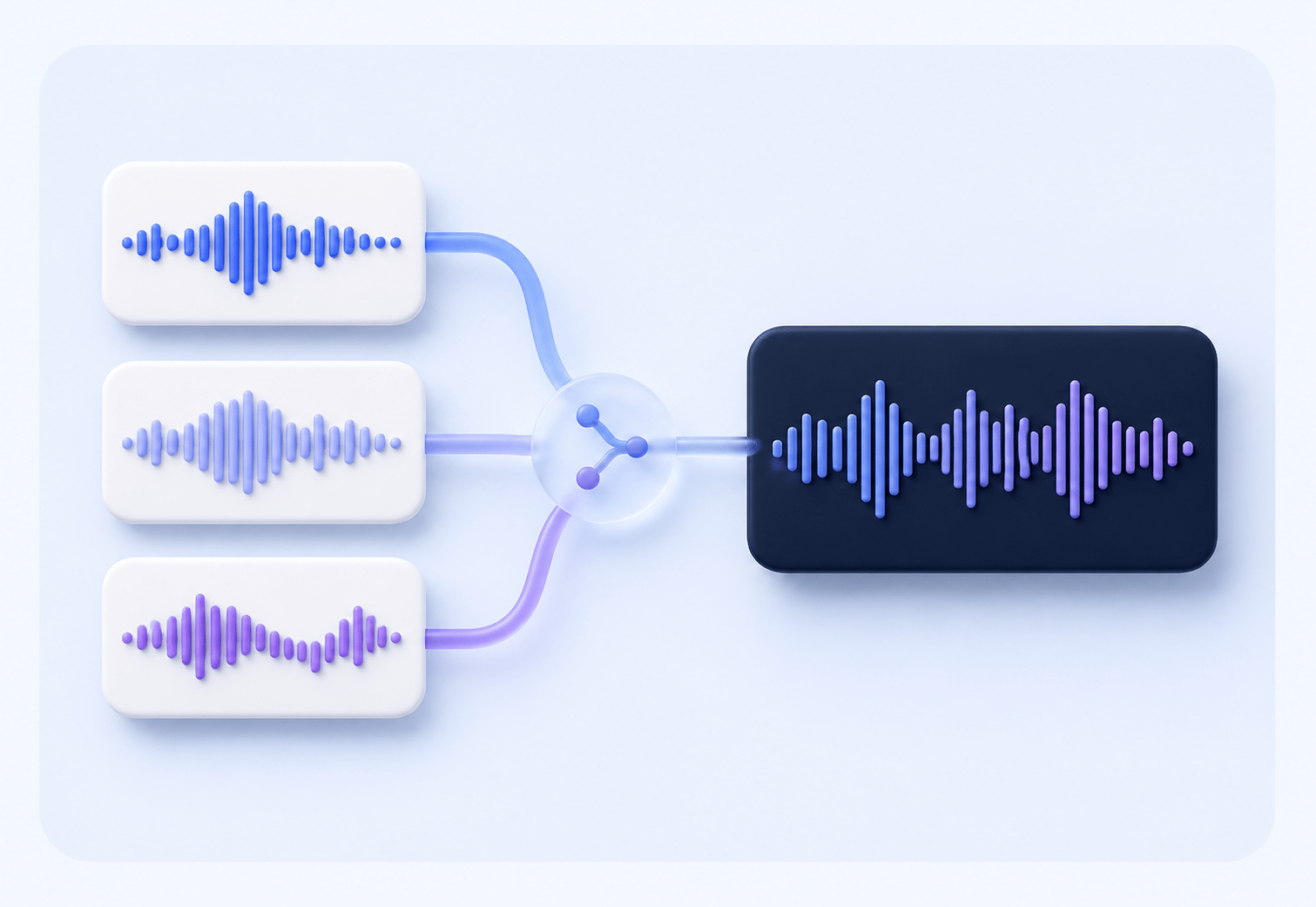
A good audio joiner makes order obvious. Each source becomes a segment in one timeline, so you can spot an accidental extra clip before creating the final file.
Three clips, one continuous waveform
Use the audio file you already have. Modern browsers can decode common MP3, WAV, M4A, OGG, FLAC, AAC, and WebM recordings. Very unusual codecs or damaged files may not decode; if that happens, export a standard WAV or MP3 from your editor and try again.
The merger creates a WAV download. WAV is uncompressed, dependable, and easy to import into podcast, video, music, and editing software. It can be larger than an MP3, but it gives you a clean source for the next step. If you need a smaller shareable file, convert the finished track with the audio converter.
Merging creates a new download and does not overwrite your source recordings. Store the originals until you have checked the sequence, silence, and volume of the final track.
Your selected recordings are decoded locally for this workflow. Nothing is uploaded for the merge operation, and the temporary download URL is released when you leave or reset the page.
Use Safari, Chrome, Edge, or another modern browser on Windows, Mac, Chromebook, iPhone, or Android. There is no desktop app to install before joining a few clips.
The result is a familiar WAV file. Open it in an editor, attach it to a project, or convert it for a smaller upload after you listen through.
Creators use an audio merger whenever several short recordings belong together. Combine a podcast intro, host segment, and outro before sending the episode to a producer. Join classroom explanations, language practice clips, or audiobook chapters into one lesson. Turn a series of phone voice notes into a single timeline for your own archive. Assemble music ideas into a rough arrangement that is easy to review with collaborators.
It is also useful for practical handoffs. A support team can join a call recording and a customer voice message for internal review. A filmmaker can place several production notes into one reference track. A marketer can combine a voiceover take and a pronunciation guide before sharing them with an editor. In each case, the value is the same: fewer files to organize and one predictable playback sequence.
Searches such as audio joiner online, mp3 combiner, mp3 merger, combine mp3 files, merge mp3 files, and merge mp3s usually describe the sequential joining task covered here. If you need to remove a beginning or ending, use an audio editing workflow. If you need overlapping music and voice, use a mixer. If you want subtitles or searchable words from a recording, use voice to text. Keeping one page focused on one job helps you reach the right result faster.
Listen to the first few seconds of every source before merging. A damaged file, unsupported codec, or very large recording can prevent browser decoding. If processing fails, try a smaller batch or convert the source to WAV/MP3 first. Differences in sample rate are handled during the merge, but a large change in loudness between clips will remain; use an editor afterward if you need normalization, fades, or precise silence removal.
An audio merger combines two or more audio files into one continuous track. Add files in sequence, merge them in your browser, and download one WAV file.
Yes. This audio joiner accepts MP3 and other common audio formats. The combined result is exported as WAV so it can open in most editors and players.
You can try the browser-based audio merger without installing software or uploading your recordings. Your files stay in the current browser session.
Open this page in Safari or Chrome on your Mac, select the audio files, check their order, and choose Merge audio files. No Mac app is required.
This page is focused on joining files end to end. For cutting, fading, or mixing overlapping tracks, use a dedicated editor or mixer workflow instead.
Add your clips above and download one clean, continuous track in a few clicks.
Start merging audio